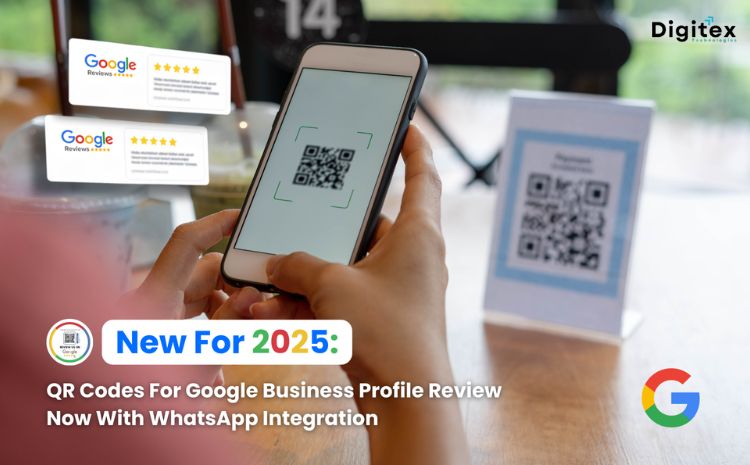

Google continues to advance its business tools in 2025 by launching a hassle-free method of collecting customer reviews through the Google Business Profile (GBP). The new break-through feature is the addition of custom QR codes that bring customers directly to the review page of the business with a simple scan. What’s more exciting is the introduction of WhatsApp integration on GBP that facilitates better communication and review gathering from customers. The blog describes how these new features function, their most important advantages, and how companies can implement WhatsApp with their Google Business Profile.
How the QR Code Feature Works
The QR code feature on Google Business Profile simplifies the review process dramatically. Business owners can generate a unique, custom QR code directly from their GBP dashboard using the desktop interface. Here are the steps:-
- Log into your Google Business Profile dashboard on a desktop computer.
-
- Click on "Ask for reviews"
-
- Or go to the reviews section and choose "Get more reviews."
-
- Download the QR code and place it anywhere customers can easily scan it whether storefronts, receipts, emails, websites, or marketing materials.
Key Benefits of Google Reviews QR Code
The QR code feature for Google Business Profile reviews brings several important advantages for businesses:- Frictionless Feedback: Customers can leave reviews with just a scan, reducing barriers and increasing the likelihood of receiving reviews.
- Increased Review Volume: Companies using QR codes have experienced significant increases in reviews, as much as 10 times the reviews.
- Increased Visibility: Higher quality and more reviews increase the visibility of the business in local search engine results and trust with consumers.
- Flexible Use Cases: QR codes can be used everywhere that maximises customer engagement .
- Simplified Management: Business owners create and manage QR codes within their GBP dashboard without requiring third-party QR code tools.
WhatsApp Integration on Google Business Profile
In addition to the QR code feature, Google has incorporated WhatsApp as a communication channel into Google Business Profile. Through this, customers will be able to connect instantly with businesses directly from the GBP listing via WhatsApp. Companies can activate WhatsApp messaging through their profile, giving customers a simple method of sending enquiries, requesting information, or even starting conversations regarding reviews and feedback. This integration brings Google's vast ecosystem with one of the world's most used messaging platforms, resulting in an easy-to-use dialogue channel.Key Benefits of WhatsApp Integration
The integration of WhatsApp into Google Business Profile offers compelling benefits for both businesses and customers:- Instant Communication: Customers get quick responses on WhatsApp without leaving Google, making interaction seamless.
- Trusted Platform: WhatsApp is highly trusted that increases customer comfort in reaching out.
- Better Review Collection: Businesses can engage customers in personalised conversations and encourage post-interaction reviews efficiently.
- Increased Customer Engagement: Direct interactions build loyalty and improve customer satisfaction.
- Easy Setup: Connecting WhatsApp to GBP is easy and brings a new dynamic with minimal effort.
Steps to Integrate WhatsApp with Google Business Profile
To activate WhatsApp integration on your Google Business Profile, companies can proceed as follows:-
- Log into your Google Business Profile account.
-
- Select the Business Profile you want to update.
-
- Click on “Edit Profile”
-
- Select the option to add a WhatsApp number or link your existing WhatsApp Business account.
- Navigate to the “Contact” section and click on the “Add Chat” button.
-
- Choose “WhatsApp” as the chat option.
-
- Enter your WhatsApp link connected to your phone number, then click Save.
-
- Verify the WhatsApp number to confirm ownership and enable integration.
- Customise messaging settings on whatsapp as needed to manage incoming queries and notifications.
- Ensure your Google Business Profile displays the WhatsApp contact option prominently.